How To Contribute Documents using VS Code
You may contribute to these documents through the following process.
Preparation
GitHub Account
Signup at GitHub
Fork Main Repository
Click Fork Icon top right
Your forked repo https://github.com/USERNAME/genian-nac-admin-guide
Make local repository on your PC
If you use Windows, you need to install the GitHub Desktop
Execute GitHub Desktop enter following:
Select File > Clone repository
Enter repository “USERNAME/genian-nac-admin-guide”
Install Visual Studio Code on your PC
If you use Windows you need to install Visual Studio Code
Go to Visual Studio Code to download
Import Project
Select File > Open Folder
Select your source directory “genian-nac-admin-guide”
Editing contents using Visual Studio Code
Create New Folder for Files
Right Click on >source > New Folder
Folder Name should be one word in lowercase that best describes section
Create New File within Folder
Right click on desired folder > New File
Filename should be lowercase, and a hyphen between words. .rst must follow the name. (e.g. some-name.rst)
Sample Page Formatting
(Header) <Some Title>
=====================
<Space Needed>
(Intro) <Some Intro>
<Space Needed>
(Sub-Title) <To Do Something>
-----------------------------
<Space Needed>
#. <Go to somewhere and do something>
#. <Next Step>
<Space Needed>
   -  <Sub-step>
   -  <Sub-step>
   -  <Sub-step>
   -  <Sub-step>
<Space Needed>
#. <Next Step>
Add Images To File
Copy image files from local machine to genian-nac-admin-guide\source\images folder
Add code for images where you would like your image to be
.. image:: /images/some-image.png
   :width: 500px
Add Table To File
+-----------+-----------+-----------+
|1st Column |2nd Column |3rd Column | <-----Title Block
+===========+===========+===========+
|           |           |           | <-----First Data Block
+-----------+-----------+-----------+
Add CLI Coding Box
.. code:: bash
<Space Needed>
 Lines of Code with no spaces to follow (*Single space before "Lines" needed)
Build your RST file to HTML
Install Sphinx on your PC
If you use Windows you need to install Python
Go to Python to download
Open Command Prompt enter following:
# pip install Sphinx
# pip install sphinx_rtd_theme
Build and Check your change
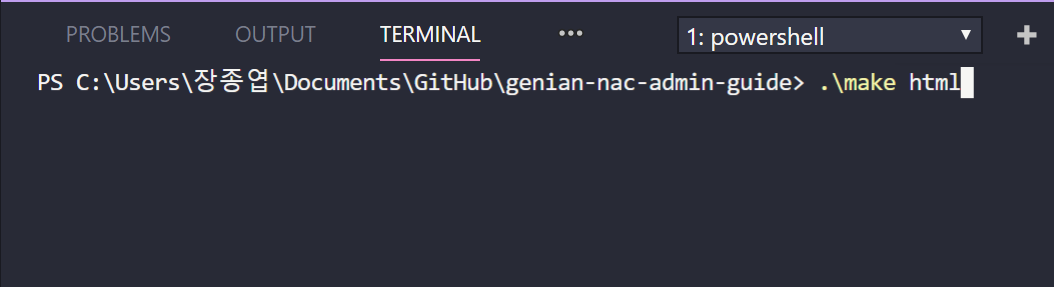
Click View > Integrated Terminal on VScode
Type ".\make html" to build
Check your directory "\genian-nac-admin-guide\build\html"
Apply your change to main repository
Commit and Push to your repo
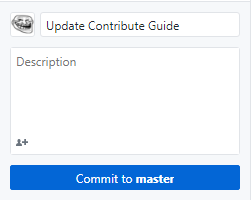
Add a “Commit Message” on Left of GitHub Desktop
Click Commit
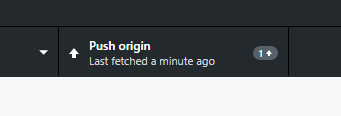
Click Push on Top of GitHub Desktop
Make sure your change file on Staged Changes
Stay current with Main Repo changes
Update main repo changes to your local repo
Click "Push origin" to push repository
Make Pull Request
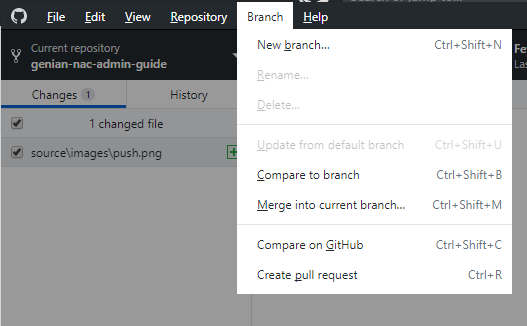
Click Branch > Create pull request on Top Menu
Add a "Comment Message"
(Main repository moderator will approve changes, or ask you to make some suggested changes)